7 Tips on How to Calculate Lumens Needed for a Workspace

Time:2026-10-31 Author:Liam
0%

A well-lit workspace is not simply the brightest room you can create. A desk under a harsh ceiling light may still leave paperwork in shadow, while glare on a monitor can make long tasks uncomfortable. The right amount of light depends on the work, the room, and how light reaches the surfaces you use.

This guide explains how to calculate lumens needed for a workspace using practical steps, not guesswork alone. You’ll consider the room’s area, the difference between lumens and lux, and the lighting levels suited to common tasks. Then you can account for fixture output, ceiling height, wall color, and daylight. Small details matter. A dark desk absorbs more light than a pale wall, and one central fixture may not spread illumination evenly. A simple estimate is useful, but it is still an estimate.

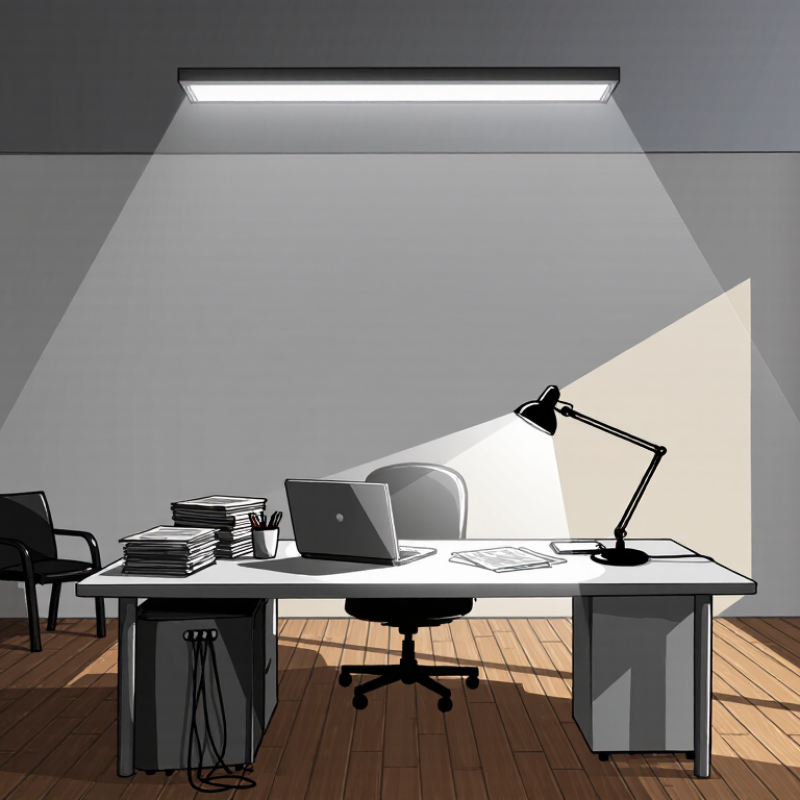
For example, a compact home office with a laptop, printed documents, and a shaded corner may need layered lighting. General room lighting can provide a comfortable base, while a desk lamp adds focused illumination where detailed work happens. Check the fixture’s stated lumen output, and assess the actual workspace rather than relying on the bulb label alone. Results vary. These seven tips will help you make a more informed plan, spot likely dark areas, and adjust the setup after testing it during real work.
7 Tips on How to Calculate Lumens Needed for a Workspace

Define the Workspace and Its Lighting Tasks

Before estimating lumens, describe the workspace as it is used, not merely by its floor area. A 3-by-4-metre room might contain a desk, shelves, and a repair bench, each needing different light. Note the ceiling height, wall colors, window direction, and how daylight changes during work hours. Be specific. Pale walls reflect more light than dark surfaces, while a tall shelf can cast a shadow across a work area. Record these details instead of assuming one fixture will illuminate the whole room evenly.

Next, list the tasks performed in each area. Reading plans, typing, inspecting small parts, and packing boxes place different demands on lighting. Fine-detail work often needs brighter, more focused light than general movement through the room. Consider how long each task lasts, whether the worker moves around, and where hands or equipment might create shadows. That matters. Lumens describe light output, but the amount reaching a work surface also depends on fixture placement, beam spread, and room surfaces. A task list will not capture every habit; people often switch activities without noticing. Still, it gives a more reliable starting point than choosing a lumen target from room size alone.

Measure the Room’s Floor Area

Measure the Room’s Floor Area

Clear the floor area measurement before estimating how much light a workspace needs. Measure the room’s length and width along the floor, using a tape measure and recording both figures in the same unit. For a rectangular room, multiply length by width.

A room measuring 12 feet by 10 feet has 120 square feet of floor area.

Simple enough. Record the result, rather than relying on memory, especially if you are comparing several rooms.

Not every workspace is a neat rectangle. Divide an L-shaped floor into smaller rectangles, calculate each area, then add them together. For a shallow alcove, measure it separately and include it only if it belongs to the working area.

I would check the measurements once more; a few inches can change the estimate, and walls are not always perfectly square. Keep square feet separate from square metres, too. Mixing units can quietly distort later calculations.

Floor area gives you a useful starting point for estimating lumens, but it does not describe the entire lighting problem. A desk used for detailed drawing may need focused task lighting, while dark walls or tall ceilings can make a room feel dimmer. Note those conditions alongside the area, rather than trying to correct them by guessing at the room’s size.

Select a Suitable Illuminance Level for Each Task

Choose an illuminance target based on the task, not just the room’s size. General desk work often feels comfortable around 300–500 lux, while drawing, close inspection, or small-part assembly may need 500–1,000 lux. These are practical starting points, not fixed rules. Age, contrast, surface color, and personal vision all affect what feels clear.

Check the work surface. A bright ceiling fixture can still leave a notebook shadowed, while a bare task lamp may create glare on a screen. Aim for even light across the desk, and keep reflections out of your usual viewing angle. For computer work, moderate ambient lighting with a focused desk lamp can be easier on the eyes. Small changes matter.

Once you choose a lux target, estimate the required lumens by multiplying lux by the workspace area in square metres. A two-square-metre desk area at 500 lux needs about 1,000 lumens reaching that surface. The fixture may need to produce more because some light misses the desk or is absorbed by walls and shades. Measure at desk height if possible, then adjust. Real rooms rarely behave neatly. A light meter can help, but even a careful evening test may reveal an uncomfortable bright spot.

7 Tips on How to Calculate Lumens Needed for a Workspace - Select a Suitable Illuminance Level for Each Task

Choose an illuminance target for the task, measure the area it covers, and estimate the light output required. The examples below use a utilization factor of 0.60 and a maintenance factor of 0.80.

Tip Workspace Task Target Illuminance Task Area Estimated Installed Light Output Practical Guidance
1 General computer workstation 500 lux 4 m² 4,167 lumens Provide even desk lighting and control reflections on screens.
2 Reading and handwritten work 500 lux 2 m² 2,083 lumens Use adjustable task lighting where users need extra light on documents.
3 Detailed drawing or drafting 750 lux 6 m² 9,375 lumens Position lights to reduce hand shadows and glare on the work surface.
4 Meeting or collaboration table 300 lux 12 m² 7,500 lumens Favor balanced, comfortable lighting across the full table.
5 Filing and storage area 200 lux 8 m² 3,333 lumens Check that shelves and labels are not left in deep shadow.
6 Workspace circulation route 100 lux 10 m² 2,083 lumens Maintain consistent light along walkways, especially near changes in level.
7 Close visual inspection or precision work 1,000 lux 3 m² 6,250 lumens Use localized task lighting and avoid strong contrast with the surrounding area.

Calculation: Estimated installed lumens = target illuminance (lux) × area (m²) ÷ (utilization factor × maintenance factor). These example targets are planning values; actual requirements depend on the task, room, users, and applicable lighting standards.

Calculate the Total Lumens Needed

Calculate the total lumens from the area you need to light, not the room’s floor area alone if desks or work surfaces differ. Use this formula: target illuminance in lux × area in square metres ÷ utilization factor ÷ maintenance factor. EN 12464-1:2021 sets 500 lux as the maintained illuminance for office tasks such as writing, reading, and data processing. Treat that as a task-area target, not a universal room setting. Measure the room first.

For a 4-by-5-metre workspace, 500 lux across 20 square metres means 10,000 lumens must reach the working plane. If the luminaires deliver 60% of their output there, and you allow a maintenance factor of 0.8, the initial total is about 20,800 lumens. These factors account for light lost through fixture distribution, dirt, and ageing. They are estimates. Pale walls may return more light than dark ones, while tall shelves can create shadows. Check the layout at desk height, and revise the calculation if the room feels uneven. IES lighting guidance also emphasizes matching light levels to the visual task; a single whole-room number can miss a dim keyboard corner.

Calculate the Total Lumens Needed for a Workspace

Estimates use a target illuminance of 300 lux and a combined utilization and maintenance factor of 0.64. Calculate: lumens needed = lux × floor area ÷ 0.64. Actual requirements vary with room layout, surface reflectance, and fixture placement.

Adjust for Fixture Efficiency and Room Conditions

Fixture efficiency changes how many lamp lumens reach the desk. Use the lumen method: required initial lumens = target lux × room area ÷ (coefficient of utilization × light-loss factor). IES guidance commonly places office task lighting around 300–500 lux, depending on the work. For a 12-square-metre workspace at 500 lux, the desk plane needs 6,000 maintained lumens. If the fixture’s utilization coefficient is 0.65 and the light-loss factor is 0.80, plan for about 11,540 initial lumens. Check the fixture’s photometric data; a catalog lumen figure alone does not show how much light lands on the work surface.

Room conditions can shift that estimate. Dark walls, high ceilings, and widely spaced fixtures reduce useful light; dust and aging reduce output over time. Small changes matter. The U.S. Department of Energy’s report, “LED Luminaire Lifetime: Recommendations for Testing and Reporting,” describes L70 as the point when output falls to 70% of its initial level. That is a useful maintenance reference, not an automatic light-loss factor. My first estimate might use 0.80, but a dusty shop or long cleaning interval may need a more conservative assumption. Measure illuminance at desk height after installation, with blinds and task lights in their usual positions. Then revise the estimate if the actual readings miss the target. Room finishes can surprise you.

FAQS

What should I assess before choosing a lumen target?

Describe each work area, not just the room size. Note ceiling height, wall color, windows, shelves, and shadows. These details affect how light reaches the desk.

How much light do common workspace tasks need?

General desk work often suits 300–500 lux. Drawing or inspecting small parts may need 500–1,000 lux. These ranges are starting points, not strict rules.

What is the difference between lux and lumens?

Lux measures light reaching a surface. Lumens describe a fixture’s total light output. A 500-lux target across a two-square-metre desk needs about 1,000 lumens reaching that desk.

How do I estimate total fixture lumens?

Multiply target lux by area, then divide by the utilization factor and maintenance factor. For example, a 20-square-metre workspace at 500 lux may need about 20,800 initial lumens using the article’s estimates.

Should I calculate lighting for the whole room?

Not always. A desk, repair bench, and walkway may need different light levels. Calculate each task area separately for a more useful estimate.

Why might a bright ceiling light still leave my desk dim?

Some light misses the work surface or is absorbed by shades and walls. A tall shelf can also cast a shadow across a notebook. Shadows matter.

How can I reduce glare while working at a screen?

Use moderate ambient light with a focused desk lamp. Keep reflections out of your usual viewing angle, and check the screen from your normal seat.

How can I tell whether my lighting estimate works?

Measure at desk height with a light meter if possible. An evening test can also reveal dark corners or bright spots. The estimate may still need adjusting.

Conclusion

Knowing how to calculate lumens needed for a workspace starts with identifying what the area is used for. A desk for detailed tasks may need brighter, more focused lighting than a space used mainly for casual meetings. Measure the room’s floor area, then choose an appropriate illuminance level for each activity, usually expressed in lux. These two details provide a practical basis for estimating the total light output the space requires.

To estimate the lumens, multiply the floor area by the selected illuminance level, taking care to use consistent units. Then account for factors that affect how much light reaches the work surface, such as fixture efficiency, ceiling height, room layout, and the reflectiveness of walls and furnishings. Treat the result as a starting point rather than an exact guarantee: adjust the plan to reduce shadows or glare and to provide comfortable, even lighting throughout the workspace.

Liam

Liam

Liam is a dedicated marketing professional with a profound expertise in the industry, where he excels at highlighting the unique advantages of our core products. With a keen understanding of market trends and consumer needs, Liam frequently updates our company’s professional blog, providing......