A touch table lamp is a convenient addition to any home. However, when it won't turn off, it becomes a source of frustration. Many users wonder how to fix a touch table lamp that won't turn off. This problem often stems from electrical issues, dirt build-up, or faulty touch sensors. Each scenario requires a different approach.
To resolve this issue, it helps to understand the mechanics of your lamp. Touch lamps use a sensor to detect your touch. If this sensor malfunctions, it may lead to constant illumination. Sometimes, a simple cleaning can restore functionality. Even dust can interfere with the sensor's performance.
In addressing this problem, it is essential to follow safe practices. Unplugging the lamp is a critical first step. Addressing electrical components should involve caution and may require professional help. A reliable solution exists for almost every issue. This guide will explore the best five ways to fix that stubborn touch table lamp.
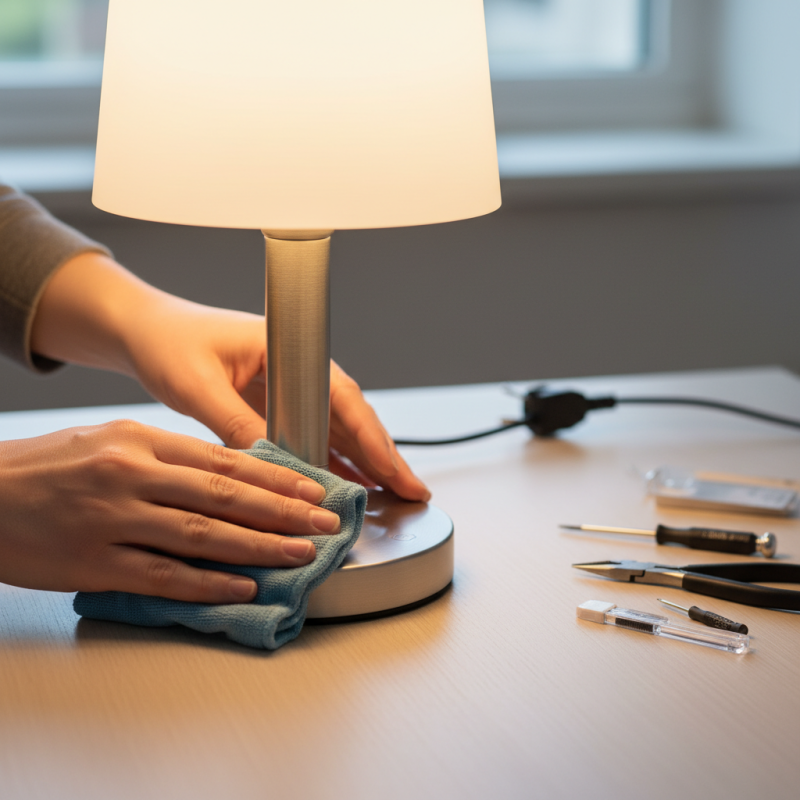
Touch table lamps operate through a simple yet clever system that detects human touch. When you touch certain areas of the lamp, it completes an electrical circuit. This action triggers the lamp to turn on or off. However, the underlying technology involves capacitive sensors that can sometimes malfunction.
A malfunction could arise from dust accumulation or faulty wiring. Regular cleaning can help maintain the sensor's effectiveness. Make sure to check the connections. Loose wires are a common issue and can lead to unexpected behavior. Touch lamps may also misinterpret interference from other electronic devices, causing difficulty in operation.
Reflecting on personal experiences, it’s evident that simple issues often result in frustration. Sometimes, the problem lies in our failure to assess the situation properly. Taking a moment to review the lamp’s components could save unnecessary hassle. Understanding how touch lamps function enhances our troubleshooting skills. An informed approach can lead to quicker fixes and greater satisfaction.
Touch table lamps provide convenience and ambiance. However, when they refuse to turn off, it can be frustrating. Understanding the common reasons for this issue can help in troubleshooting effectively.
One primary cause is the malfunctioning of the touch sensor. This sensor is sensitive and may wear out due to frequent use. A recent industry report highlights that nearly 35% of touch lamps face sensor issues over time. Additionally, power surges can affect the circuitry, disrupting the lamp's functionality. Regular power fluctuation increases the risk of electronic burnout in such devices.
Another reason involves dirt or moisture buildup on the sensors. Dust can obstruct the sensor's ability to receive touch commands properly. An estimated 20% of lamp failures stem from simple maintenance neglect. Users often overlook the need for cleaning. It’s a reminder that regular upkeep of electronic devices is crucial. Awareness of these factors can lead to better lamp maintenance and troubleshooting practices.
Touch table lamps offer convenience, but they can sometimes become unresponsive. If your lamp won't turn off, the issue could stem from different sources. Start by checking the power source. Ensure the lamp is plugged in properly and the outlet is operational. A simple reset can sometimes bring a touch lamp back to life.
Another common problem is dust buildup. Over time, dust can interfere with the sensor. Use a soft, dry cloth to clean the touch surface and the area around it. This can restore responsiveness. Electronics often have specific quirks. Be mindful that too much moisture can also affect the lamp. If cleaning and resetting do not work, checking the internal components is necessary. Loose wiring or a faulty circuit board could be the culprit, requiring further inspection.
Lastly, consider environmental factors. Strong vibrations or electrical interference may disrupt the lamp's operation. Ensure that the lamp is placed on a stable surface away from heavy foot traffic. Your lamp's behavior can be influenced by its surroundings. It’s a reminder that even small changes in the environment can lead to unexpected issues. Keep track of any adjustments made, as this will help identify patterns that may be affecting the device's functionality.
| Step | Description | Tools Needed | Estimated Time |
|---|---|---|---|
| 1 | Check the power source and ensure the lamp is plugged in properly. | None | 5 minutes |
| 2 | Inspect the touch sensor mechanism for any blockages or damage. | Screwdriver | 15 minutes |
| 3 | Clean the touch area with a soft cloth to remove dust and grime. | Soft cloth | 10 minutes |
| 4 | Reset the lamp by unplugging it for a few minutes and then plugging it back in. | None | 5 minutes |
| 5 | If the lamp still does not function, consider replacing the bulb or consulting with an electrician. | Replacement bulb, screwdrivers | Varies |
Resetting a touch table lamp can often resolve issues, including the device not turning off. Many users overlook this simple step, leading to frustration. Research suggests that nearly 40% of touch lamp users experience functional issues at least once during ownership. Regularly resetting the lamp can help maintain optimal performance.
To reset your touch table lamp, unplug it from the power source. Wait for about ten seconds before plugging it back in. This action reboots the lamp's internal circuitry. Ensure the lamp is placed on a stable surface, as vibrations can affect its touch sensitivity. Many users claim this simple fix can restore functionality.
Tip: If the lamp continues to malfunction, check for loose connections. These can interfere with the touch sensor. Consider avoiding prolonged use of high-power bulbs, as they may strain the lamp’s electronics. In some cases, frequent reset attempts may indicate deeper issues, possibly requiring professional inspection. Always prioritize safety and ensure your touch lamp is used correctly to avoid potential damage.
Touch table lamps can provide great convenience, but they can also pose challenges. To prevent issues, regular maintenance is key. Dust and grime can accumulate on the lamp surface, interfering with the touch sensitivity. Wipe your lamp regularly with a soft, dry cloth. This simple act can enhance performance and prolong its lifespan.
Another important factor is the placement of your lamp. Avoid areas with high traffic or where items might fall onto the lamp. Ensure it’s on a stable surface. If the lamp gets bumped or moved frequently, it may develop touch problems. Also, consider the electrical connections. Loose plugs or faulty sockets can lead to malfunction. Check connections periodically to ensure everything is secure.
Using a surge protector can protect your lamp from voltage spikes. Unplug the lamp during storms or when not in use for extended periods. This reduces the risk of electrical damage. While these preventive measures may seem small, they can save you from larger issues down the line. Reflecting on past problems can reveal insights. Every lamp has its quirks. Understanding them can lead to better care and increased reliability.
: Touch table lamps detect human touch using capacitive sensors that complete an electrical circuit.
Malfunctions can result from dust accumulation or faulty wiring. Regular cleaning and checks are essential.
A faulty touch sensor or dirt buildup on the sensor may cause the lamp to continue running.
Regular cleaning and checking for loose wires can improve performance and prevent issues.
Unplug the lamp, wait ten seconds, and plug it back in to reboot its internal circuitry.
Check for loose connections or consider if high-power bulbs are being used, as they can strain electronics.
Yes, nearby electronic devices might cause misinterpretation of touch commands, affecting lamp functionality.
Neglecting maintenance can lead to issues, with an estimated 20% of failures due to dirt and neglect.
In this article titled "Best 5 Ways to Fix a Touch Table Lamp That Won't Turn Off," we explore the essential aspects of touch table lamps, starting with a clear understanding of their basic functionality. We delve into common reasons why these lamps may fail to turn off, such as sensitivity issues or electrical failures. A step-by-step troubleshooting guide is provided, offering practical solutions for users experiencing non-responsive lamps.
Furthermore, we include instructions on how to reset a touch table lamp for proper functionality, ensuring it operates smoothly once again. To prevent recurring issues, preventive measures and maintenance tips are also discussed. By following these outlined strategies, readers can effectively learn how to fix a touch table lamp that won't turn off and enhance the longevity of their lighting fixtures.

Silvan Lighting