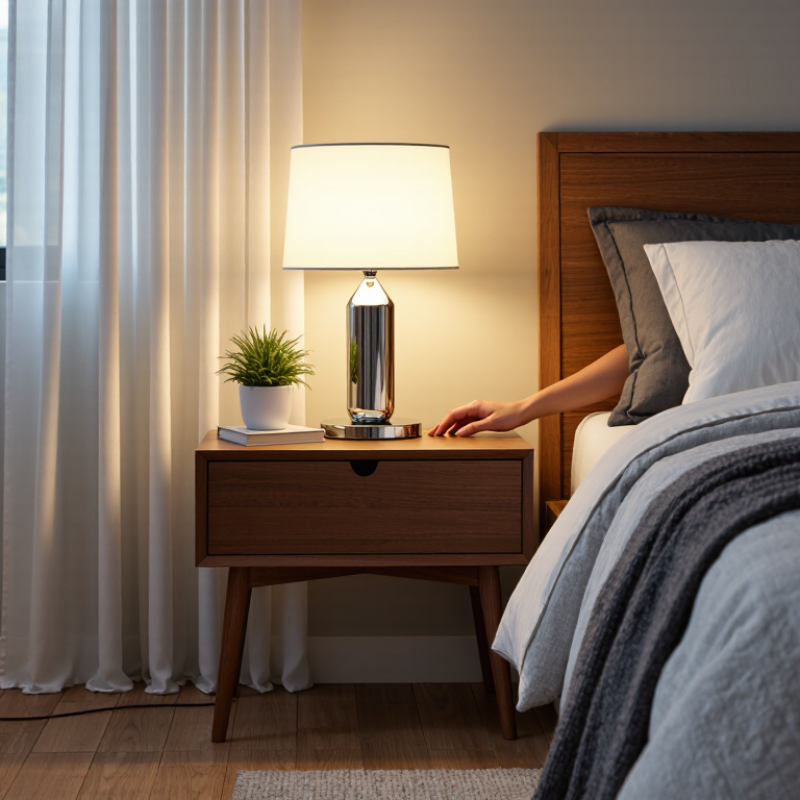
7 Tips to Fix a Touch Lamp That Will Not Turn Off

Time:2026-09-29 Author:Liam
0%

A touch lamp that stays on can be more than an annoyance. It may brighten a bedroom long after you tap the base, or glow beside your chair when you are ready to sleep. The cause is often simple, such as a stuck touch control, a damp surface, or an unsuitable bulb. Sometimes the problem points to a worn component instead. Guessing can waste time.

This guide explains how to fix a touch table lamp that won't turn off with seven practical checks. You will look at the bulb, outlet, lamp surface, and touch sensor before considering a replacement part. Start safely: unplug the lamp before inspecting its wiring or opening any housing. Never handle exposed wires while the lamp is connected. If you notice a burning smell, damaged cord, or scorch marks, stop using it and seek help from a qualified repair professional.

Small details matter. A fingerprint, a metal object touching the base, or a recently changed bulb may affect how the lamp responds. Try one change at a time, then test the lamp with dry hands. It may not be the sensor at all. These steps are intended for basic troubleshooting, not a substitute for professional electrical repair. With careful checks, you can often narrow down the cause without taking apart parts you do not understand. If the lamp still ignores your touch after these tests, replacing the control module or the lamp may be the safer choice.

7 Tips to Fix a Touch Lamp That Will Not Turn Off

Identify the Touch-Lamp Type and Verify Its Rated Voltage (120 V/60 Hz or 230 V/50 Hz)

When a touch lamp will not turn off, identify its control system before changing parts. A capacitive touch lamp responds to the metal base, while a three-way touch lamp cycles through brightness levels. Some newer lamps use electronic sensors or smart controls. The symptom may look similar, but the repair path differs.

Check the rating label near the cord, socket, or lamp base. It should state voltage and frequency, such as 120 V/60 Hz or 230 V/50 Hz. IEC 60038 identifies 230 V as the standard nominal voltage for many 50 Hz systems. The U.S. Department of Energy identifies 120 V and 60 Hz as typical residential supply values. Do not rely on the plug shape alone. A useful clue, but imperfect. A lamp rated for 120 V may not operate safely on 230 V, while a 230 V lamp may remain unresponsive on 120 V. Confirm the label and local supply together.

Unplug the lamp before inspecting the sensor, socket, or internal control module. If the lamp stays lit after a touch, test a compatible bulb first, then examine whether the sensor is receiving continuous contact from a metal surface. Loose wiring, moisture, or a failed triac can also keep the circuit energized. Electrical safety reports from the U.S. Consumer Product Safety Commission continue to associate damaged cords and faulty lighting equipment with household fire hazards. Do not bypass the touch module. I sometimes expect the sensor to be the fault, but the rated voltage is the detail most often overlooked.

Disconnect Power Before Checking the Bulb, Socket, and Touch-Control Connections

7 Tips to Fix a Touch Lamp That Will Not Turn Off

Disconnect power before checking the bulb, socket, and touch-control connections. Unplug the lamp from the wall. If it is hardwired, switch off the circuit breaker and confirm the power is off with a suitable tester. Never rely only on the wall switch. Let the bulb cool, then remove it and inspect the glass, base, and contact point for black marks or looseness. Try a compatible replacement bulb, but do not exceed the lamp’s stated wattage. A small detail matters.

Clean the metal socket gently with a dry cloth. Do not use water or scrape the contacts aggressively. Check the cord for cuts, crushed sections, or unusual heat. Inspect the touch-control wires only when power remains disconnected. Loose connectors, damaged insulation, or a burnt smell require professional repair. Avoid bypassing the control module, because that can create a shock or fire hazard. If the lamp has a reset procedure, follow its instructions after reconnecting power. Test it on a dry, clear surface, away from metal objects that may trigger the sensor.

I once assumed a faulty bulb caused the problem, but the loose socket was the real issue. A rushed inspection can mislead you. If the lamp still stays on, unplug it and contact a qualified electrician.

Rule Out Stuck Touch Sensors, Moisture, and Interference from Nearby Devices

A touch lamp that stays on usually has a simple cause, but guessing can waste time. Unplug the lamp before inspecting it. Then try a different bulb, preferably one listed for touch-control fixtures. I once blamed the bulb first; that assumption was wrong. The sensor was reacting to moisture on the base. Wipe the control area with a dry cloth, and let the lamp sit unplugged for several hours. Never spray cleaner directly onto the sensor.

Check for interference from nearby devices. Move the lamp away from chargers, power strips, speakers, dimmers, and wireless equipment. Test it in another outlet without an adapter. If the lamp turns off there, the original outlet or nearby wiring may be involved. Keep metal objects away from the touch surface, too. Small changes can matter. The U.S. Department of Energy reports that LED bulbs use at least 75% less energy than incandescent bulbs, but an incompatible bulb can still confuse older touch circuits. The National Fire Protection Association identifies electrical distribution and lighting equipment as significant contributors to home fires, so do not keep testing a hot, buzzing, cracked, or scorched lamp. If seven checks fail—unplugging, bulb replacement, drying, cleaning, relocating, outlet testing, and cooling—stop using it and ask a qualified electrician to inspect the sensor or internal wiring. I would not open the housing unless trained; one overlooked connection can create a bigger problem.

Test the Lamp with a Compatible Bulb and Check Its Dimmer and Control Module

7 Tips to Fix a Touch Lamp That Will Not Turn Off

Tip: Test the lamp with a compatible bulb. Unplug it first, then install a known-good bulb with the correct base and wattage. Use a dimmable bulb when the lamp includes brightness settings. The U.S. Department of Energy reports that LED bulbs use up to 75% less energy and last up to 25 times longer than incandescent bulbs. However, efficiency does not guarantee compatibility. A non-dimmable bulb may flicker, remain active, or confuse the touch sensor.

Tip: Check the dimmer and control module. Inspect the switch area for heat, buzzing, loose wiring, or a burnt smell. Do not open the housing while connected to power. Touch lamps often use a small control module to detect changes in capacitance. If the lamp stays on after a compatible bulb is installed, the module may be stuck or failing. Replacing it requires matching voltage, load range, and terminal layout. A qualified electrician should handle uncertain wiring.

Tip: Test the lamp on a dry, stable surface. Remove nearby metal objects, chargers, and extension cords. They can sometimes interfere with touch sensitivity. This test is imperfect. A lamp may work briefly, then fail after warming up. The U.S. Consumer Product Safety Commission repeatedly emphasizes stopping use when electrical products show overheating or damaged cords. Do not ignore intermittent faults. Safety matters more than saving one lamp.

Replace Faulty Parts Safely; Use UL 153 or IEC 60598-1 as Lighting Safety References

A touch lamp that stays lit may have a failed control module, a shorted switching component, or moisture near its sensor. Unplug it before inspection; a dark lamp can still have an electrical fault. Let the bulb cool, then check for a loose socket, pinched cord, cracked plug, or residue on the touch surface. Do not bypass the sensor or probe live wiring. Small parts can carry mains voltage. Replace a faulty component only if its ratings and wiring match the original. If you cannot identify the part, stop and consult a qualified repair technician. That pause matters.

UL 153 covers portable electric luminaires, while IEC 60598-1 sets general safety requirements for luminaires. Use these standards as safety references, not as proof that a replacement part is suitable. Preserve the original insulation, strain relief, enclosure clearances, and heat protection. NFPA’s 2019 Electrical Fires report estimated an average of 34,000 U.S. home structure fires annually involving electrical distribution or lighting equipment during 2012–2016. That figure is not specific to touch lamps, but it shows why improvised repairs deserve caution. A neat-looking splice is not automatically safe. Have the lamp inspected and tested before putting it back on a bedside table or wooden desk.

7 Tips to Fix a Touch Lamp That Will Not Turn Off

Follow this suggested troubleshooting sequence. The bars show step order, not repair success rates.

Unplug the lamp before inspecting or replacing parts. If it remains faulty, stop using it and consult a qualified repair professional. UL 153 and IEC 60598-1 are lighting-safety references; they are not a substitute for manufacturer instructions or safe repair practices.

FAQS

What bulb should I test in a touch lamp that stays on?

Unplug the lamp and install a known-good bulb with the correct base and wattage. Use a dimmable bulb when needed.

Can a non-dimmable bulb affect the touch sensor?

Yes. It may flicker, stay active, or confuse the sensor. Bulb efficiency does not guarantee compatibility.

What should I inspect around the dimmer and control module?

Look for heat, buzzing, loose wiring, or a burnt smell. Stop using the lamp if any warning appears.

Can I open the lamp while it is connected to power?

No. Unplug it before inspection. Small internal parts may still involve dangerous voltage.

Where should I test the lamp?

Place it on a dry, stable surface. Remove nearby metal objects, chargers, and extension cords.

What if the lamp works briefly, then stays on again?

The control module may fail after warming up. A short successful test does not prove the lamp is safe.

Which visible parts should I check before repair?

Check the socket, cord, plug, and touch surface. Look for pinching, cracks, moisture, or residue.

Can I replace the control module myself?

Only match its voltage, load range, terminals, insulation, and heat protection. If uncertain, use a qualified repair technician.

Should I bypass the touch sensor?

No. Bypassing or probing live wiring can create a serious shock or fire risk.

When should I stop trying to save the lamp?

Stop when faults repeat, wiring is unclear, or overheating appears. A neat splice may still be unsafe.

Conclusion

If your touch lamp will not turn off, first identify its type and confirm that its rated voltage and frequency match your supply, such as 120 V/60 Hz or 230 V/50 Hz. Before inspecting anything, unplug the lamp or switch off its circuit. Then check that the bulb is compatible and properly seated, and look for loose or damaged connections at the socket and touch-control assembly. Never inspect or repair internal wiring while the lamp is connected to power.

To learn how to fix a touch table lamp that won't turn off, also rule out a touch sensor that is stuck, dampness near the sensor, or interference from nearby electronic devices. Test with a compatible bulb, and consider whether the dimmer or control module may have failed. Replace faulty parts only with suitable components and follow safe repair practices; if you are unsure, consult a qualified technician. UL 153 and IEC 60598-1 can serve as references for lighting safety requirements.

Liam

Liam

Liam is a dedicated marketing professional with a profound expertise in the industry, where he excels at highlighting the unique advantages of our core products. With a keen understanding of market trends and consumer needs, Liam frequently updates our company’s professional blog, providing......